User Guide · 01
Account Management & Login: Facebook Accounts, Account Age and Proxies
Three ways to log in a Facebook account, choosing account age (it sets daily posting limits), bulk import, posting as a Page, one proxy IP per account, and what to know before deleting or restoring accounts.
Updated 2026-09-137 min readFor app v1.7.3


1.1 Add a Facebook account
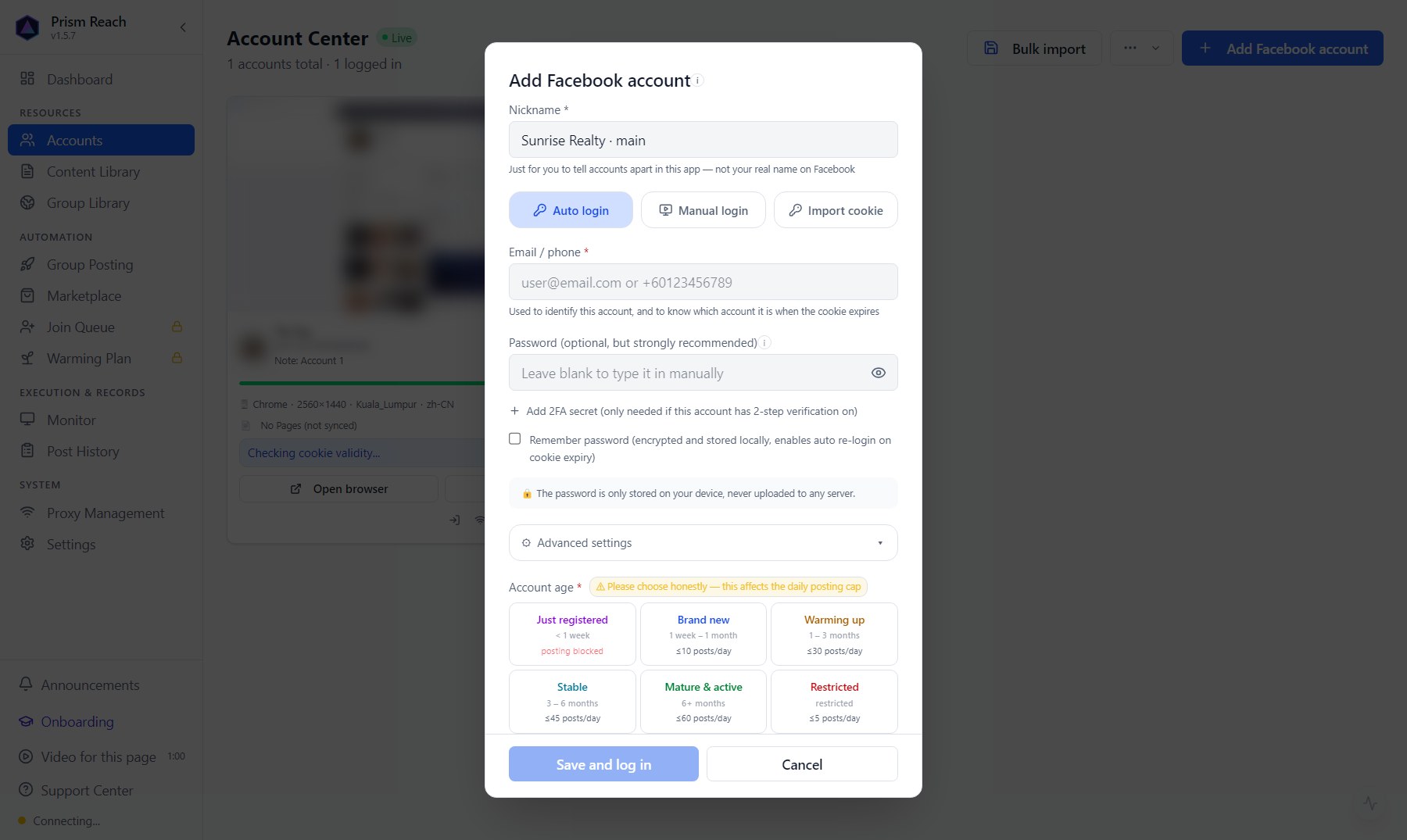
Accounts → top right 「Add Facebook account」:
- Nickname (required): a name you'll recognize, e.g. "Client A · main". Not the real name on Facebook.
- Email / phone: the one you log in to Facebook with.
- Pick a login method:
| Method | How it works | Best for |
|---|---|---|
| Auto login | Enter the password (plus the 2FA key if two-step verification is on); the app opens a browser and fills them in | Most cases — choose this the first time |
| Manual login | The app only opens the browser window; you type the email and password yourself | You'd rather not store the password in the app |
| Import cookie | Log in on a normal browser, export the cookies with the Cookie-Editor extension, paste them in to take over the session | Auto login keeps getting stuck on captchas (common with brand-new accounts) |
- Remember password: recommended. Facebook logins expire from time to time; with the password saved, the app can quietly log back in using the same browser identity, so you don't have to redo it by hand.
- Advanced settings: bind a proxy IP to this account (see 1.6).
Click 「Save and log in」 and complete any Facebook captcha or SMS code in the browser window that opens. Don't close that window.
1.2 Account age: you must choose it, and it sets how much you can post
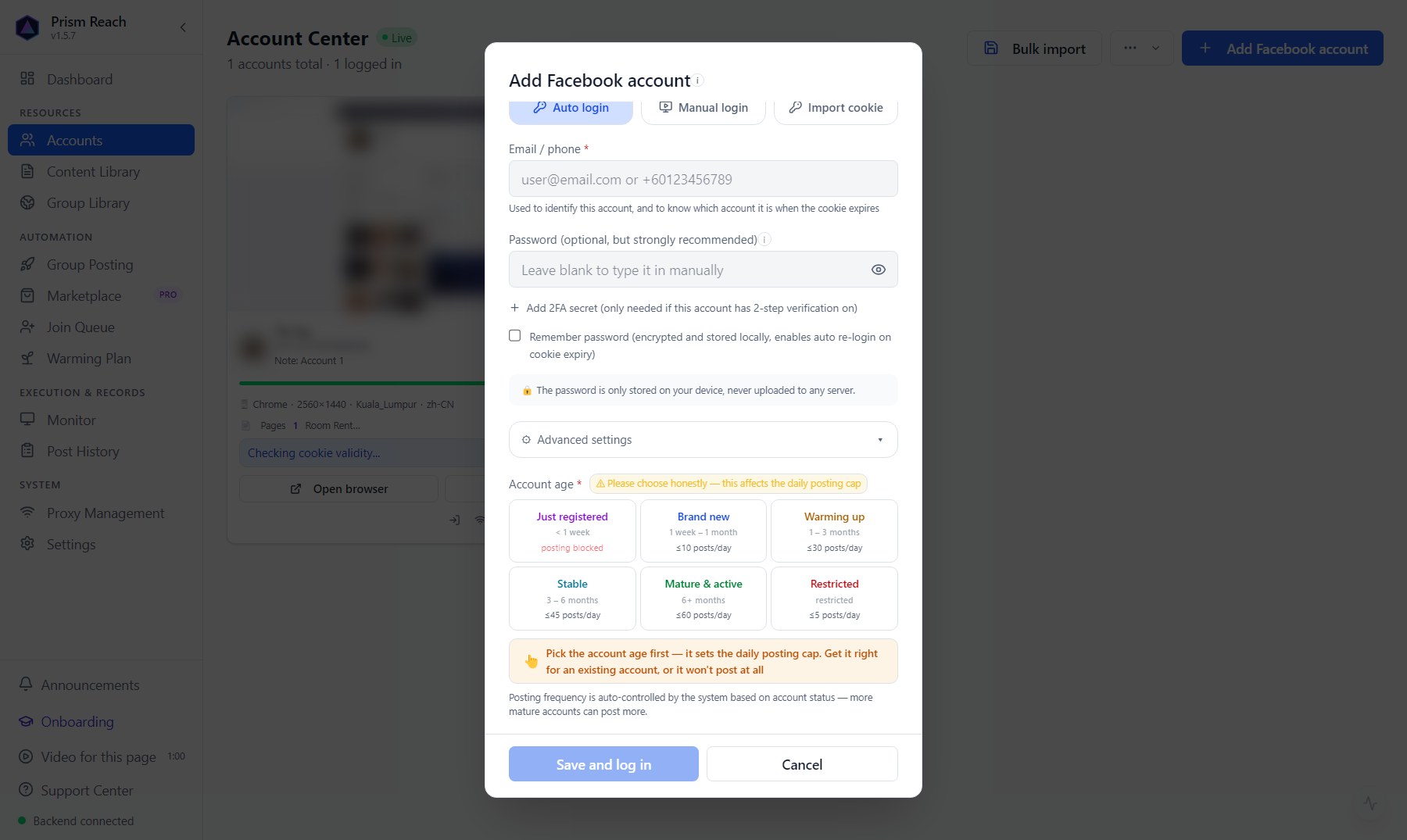
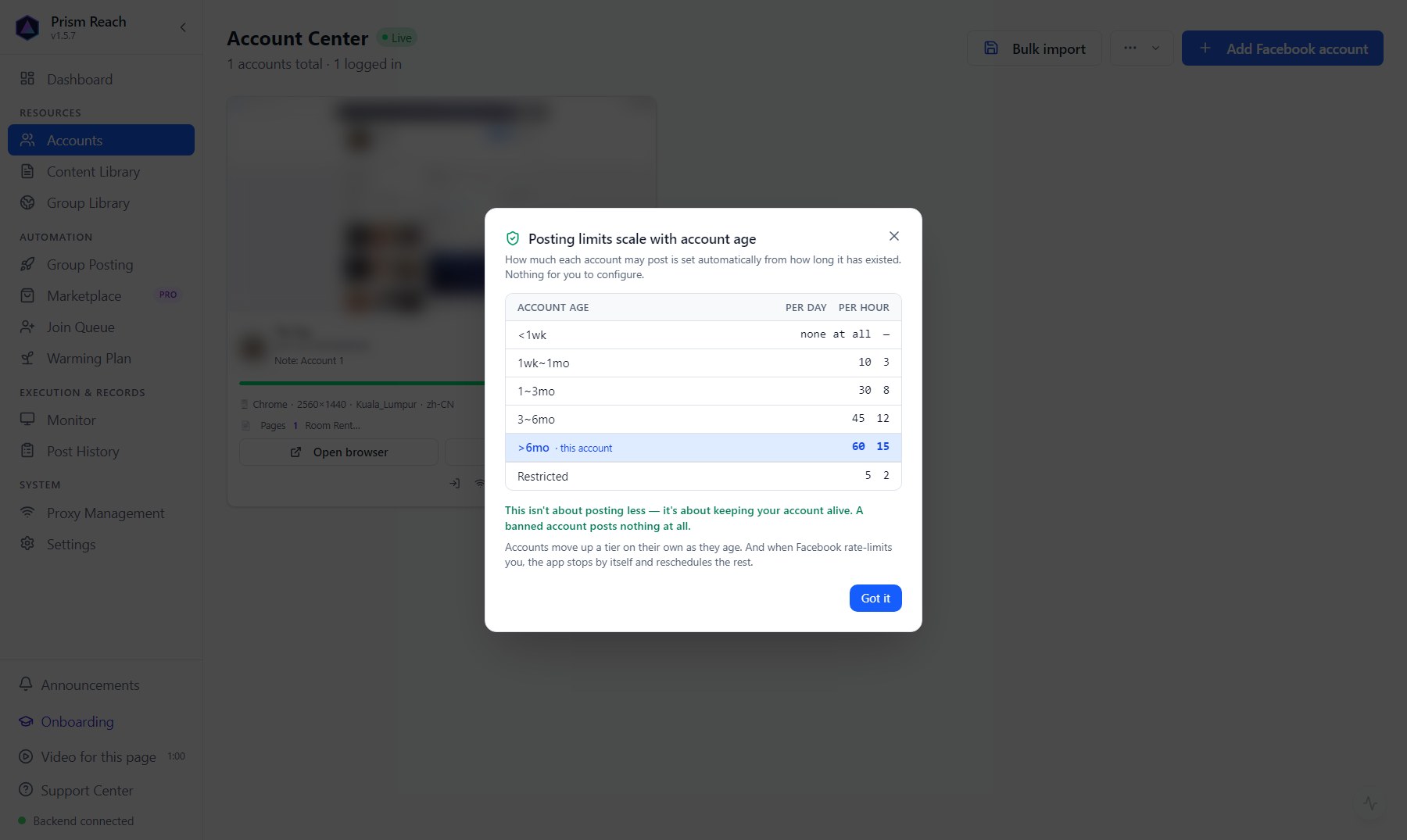
At the bottom of the dialog, 「Account age」 must be set honestly — you can't save without it. How many posts each tier can send per day and per hour is set automatically by the app:
| Account age | Per day | Per hour |
|---|---|---|
| Just registered (< 1 week) | Nothing at all | — |
| Brand new (1 week – 1 month) | 10 | 3 |
| Warming up (1 – 3 months) | 30 | 8 |
| Stable (3 – 6 months) | 45 | 12 |
| Mature & active (6+ months) | 60 | 15 |
| Restricted | 5 | 2 |
- An account you've used for years → 「Mature & active」. Pick 「Just registered」 and the account won't post anything — many people think the app is broken when it's really the wrong age.
- Picked the wrong one? You can change it in Accounts at any time.
- Accounts move up tiers automatically as they age. Click the age badge on an account card to see this table any time.
1.3 What the app does by itself after you log in
After a successful login the app automatically carries on. You don't need to wait — go and write your post:
- Sync groups: pulls every group this account has joined into the Group Library.
- Check posting permission: opens each group to see where this account can really post. With many groups this takes a while. Groups not checked yet show 「? Undetected」 — not "can't post", just "not checked yet". Once checked they show 「✓ Can post」.
- Detect areas and types: works out which area each group covers and whether it's rooms or whole units, so the group picker can tick the right groups.
1.4 Import many accounts at once
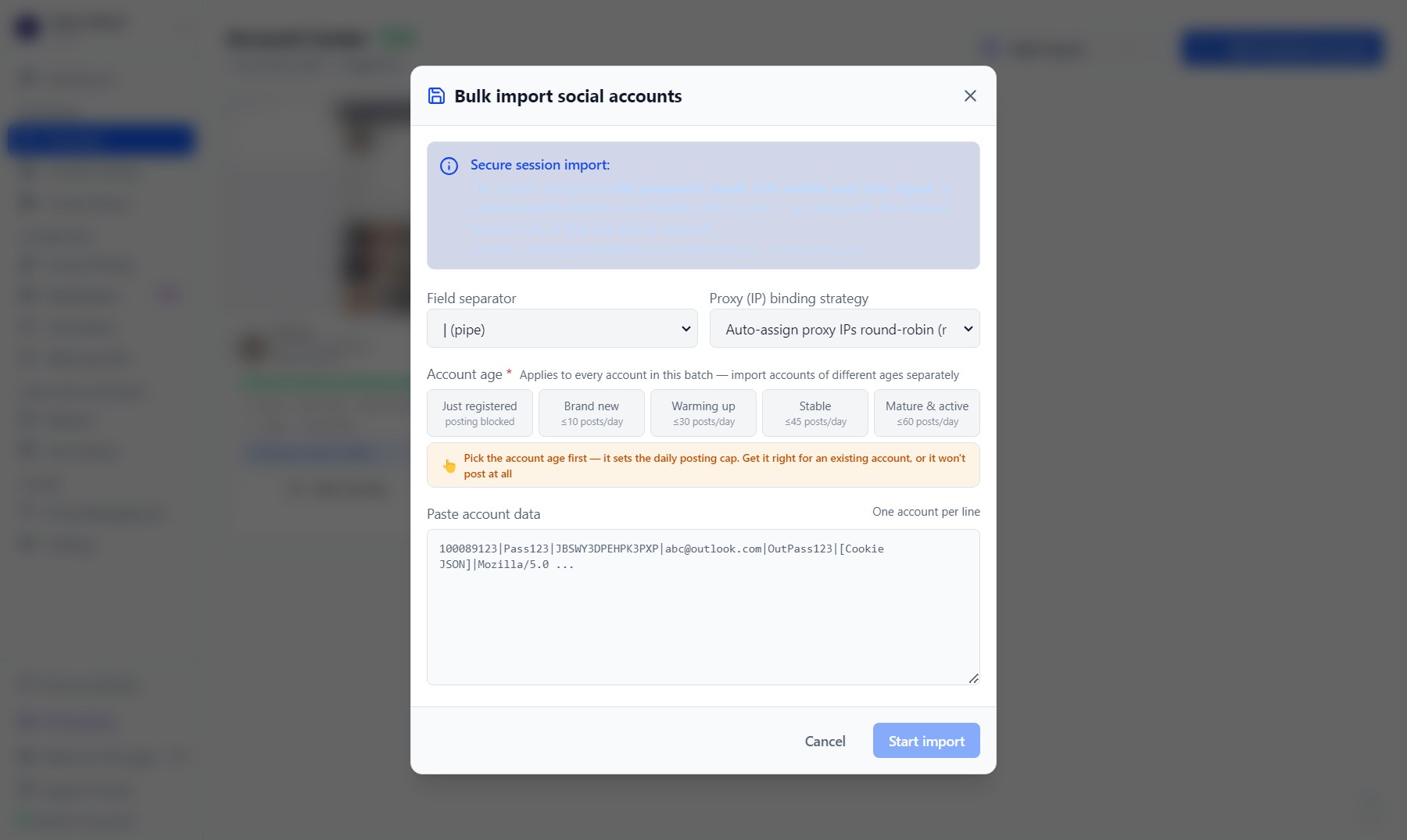
Lots of accounts (e.g. bought from a supplier)? Use 「Bulk import」 at the top right of Accounts:
- Paste the account data, one account per line, and choose the separator (pipe, colon, four dashes, comma). The app recognizes UID, password, 2FA, email, cookies and the browser user agent.
- Lines that take over a session with cookies must include the full
c_user+xsand the original browser user agent, or the line is rejected — so Facebook never sees "the same login suddenly on a different device". - Proxy binding: "auto-assign proxy IPs round-robin" is recommended, so each account gets its own IP.
- Account age: the whole batch gets the age you choose — import accounts of different ages separately.
After import, accounts with cookies are verified in the background; the verified ones can then run 「Batch sync + detect」 in one click.
1.5 Posting as a Facebook Page
If your Facebook account manages a Page, you can also post to groups as the Page:
- On the account card, click 「Manage」 on the 「Pages」 row → sync the list, to pull in the Pages this account manages.
- Run "sync & detect" once for each Page — whether a Page may post in a group is granted separately by the group admin, so it has to be checked separately from the personal account.
- When creating a campaign, in step 1 「Posting identity」 choose 「Personal + Pages」 or 「Pages only」.
1.6 Proxies (IP): ideally one IP per account
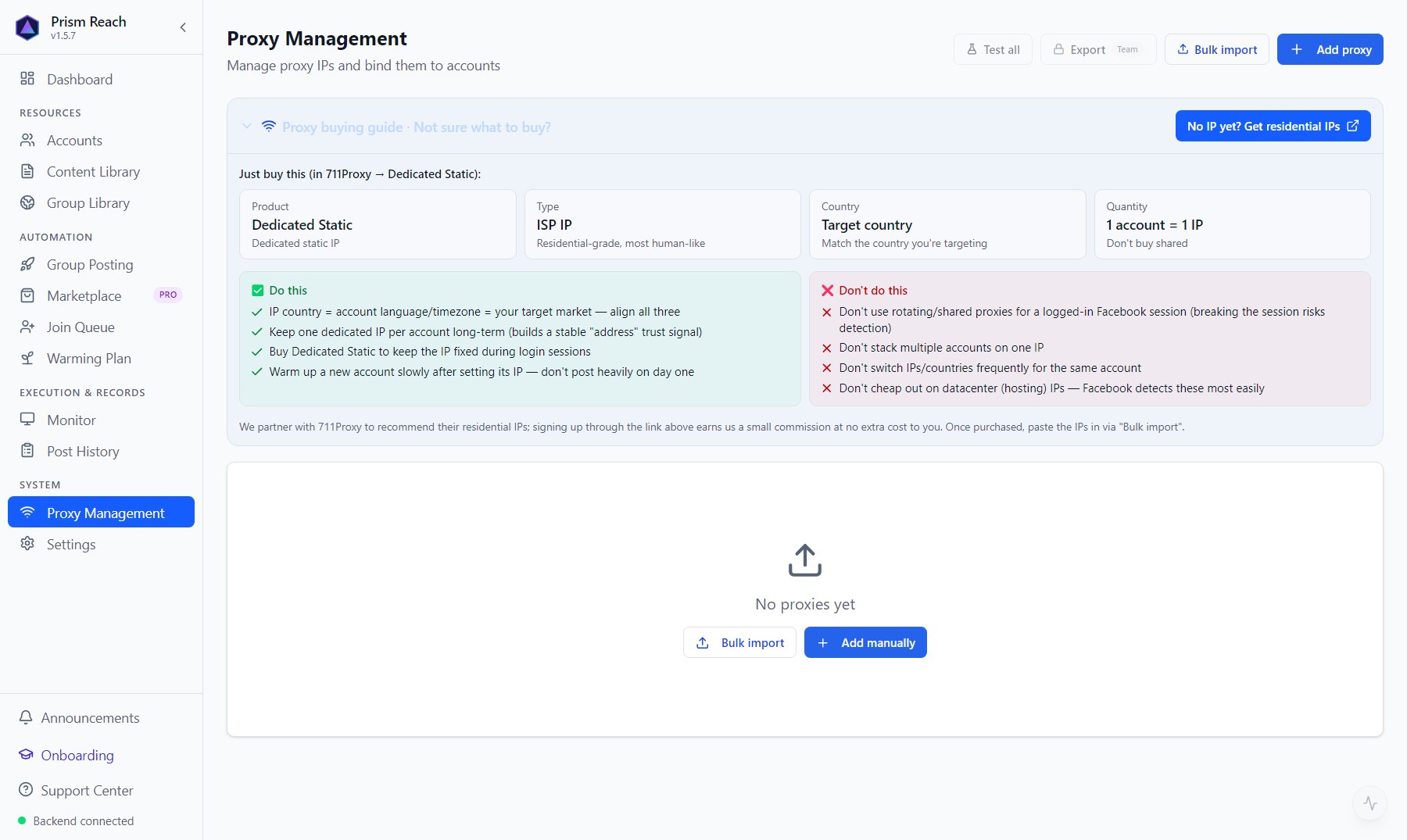
Each account can be bound to one proxy IP, managed on the Proxy Management page (country, host, port, login, expiry date). The top of that page has a what-to-buy guide: one fixed residential/ISP static IP per account, in the same country as the account's target market.
This is a hard safety line, not a nice-to-have:
- If an account's proxy is temporarily unreachable, the app refuses to run. It will never quietly fall back to your computer's own IP — "a proxy identity suddenly appearing from a real IP" is one of the clearest red flags for Facebook.
- The browser's language and timezone follow the proxy's country, so the IP location and browser locale match.
- When several accounts have no proxy (using your own network), or many accounts share one IP, Accounts shows a warning at the top. Split them onto separate IPs soon — many accounts from one IP is a clear signal for mass bans.
- Avoid changing IP on new or warming-up accounts; it easily triggers phone verification. The app warns you when you change a proxy.
1.7 Account status and card actions
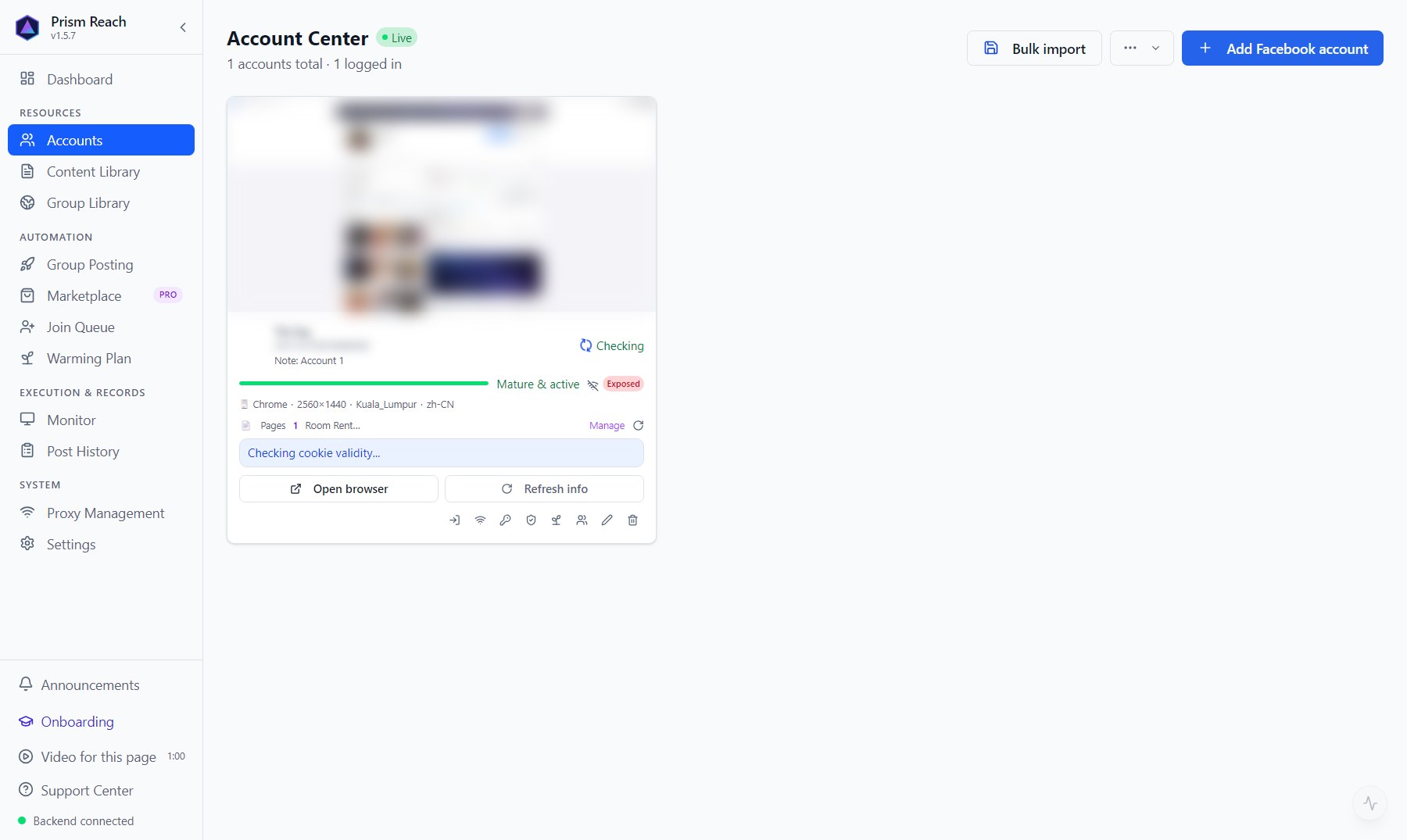
Login status: logged in / login expired (cookies no longer valid — log in again) / waiting for manual verification / banned / not logged in.
The card also shows: account age and progress to the next tier, health score (based on posting success and incidents; below 40, warm the account up to recover), proxy and exit IP, and "rate-limit cool-down" (Facebook has limited this account; shows a countdown).
Common actions:
- Open browser: look at Facebook yourself using this account's dedicated browser identity.
- Refresh info: update avatar, name and login status.
- Log in again / Import cookie: when the login expired or auto login was blocked.
- Group management: see which groups this account is in and which it can post to; manually "sync groups" or "check posting permission".
- Asset vault: view or export passwords, 2FA, email passwords — requires a 6-digit PIN first.
- Delete / restore: deleted accounts can be restored from "Deleted accounts", and restoring reuses the original IP and browser fingerprint, so Facebook doesn't see a new device.
1.8 Why one account can only do one thing at a time (account lock)
At any moment an account can only run one action (posting / warm-up / group sync / joining groups / manual browser). A second one waits in line, or you see "account is busy with …, try again later".
It isn't a performance limit — it's anti-ban: the same account active in two sessions at once looks clearly abnormal to Facebook.
Don't have Prism Reach yet?
The free plan needs no credit card — install it and follow this guide.