User Guide · 08
Monitoring Center & Posting History: Tracking Progress and Failures
Credits and stats on the Dashboard, the live Monitor while posting (rate limits, cool-downs, quotas, account locks), per-post status and screenshots in Post History, and how to troubleshoot skipped, failed or stuck posts.
Updated 2026-09-133 min readFor app v1.7.3

8.1 Dashboard
The home screen — the overall picture:
- 「New posting campaign」 at the top right: where new users start.
- Quota card: prepaid users see their credit balance — 1 credit = one post to one group; failed posts aren't charged — plus an estimate of how many days it will last at your recent pace. Subscription plans show this month's AI quota.
- Stats: accounts, groups, posts in the library, posts sent and success rate.
- Recent batches: progress and result of each batch.
- Posting trend, account warm-up status, Marketplace overview.
- For new users, a "finish these first" checklist: add an account → write a post → send your first post.

8.2 Monitor
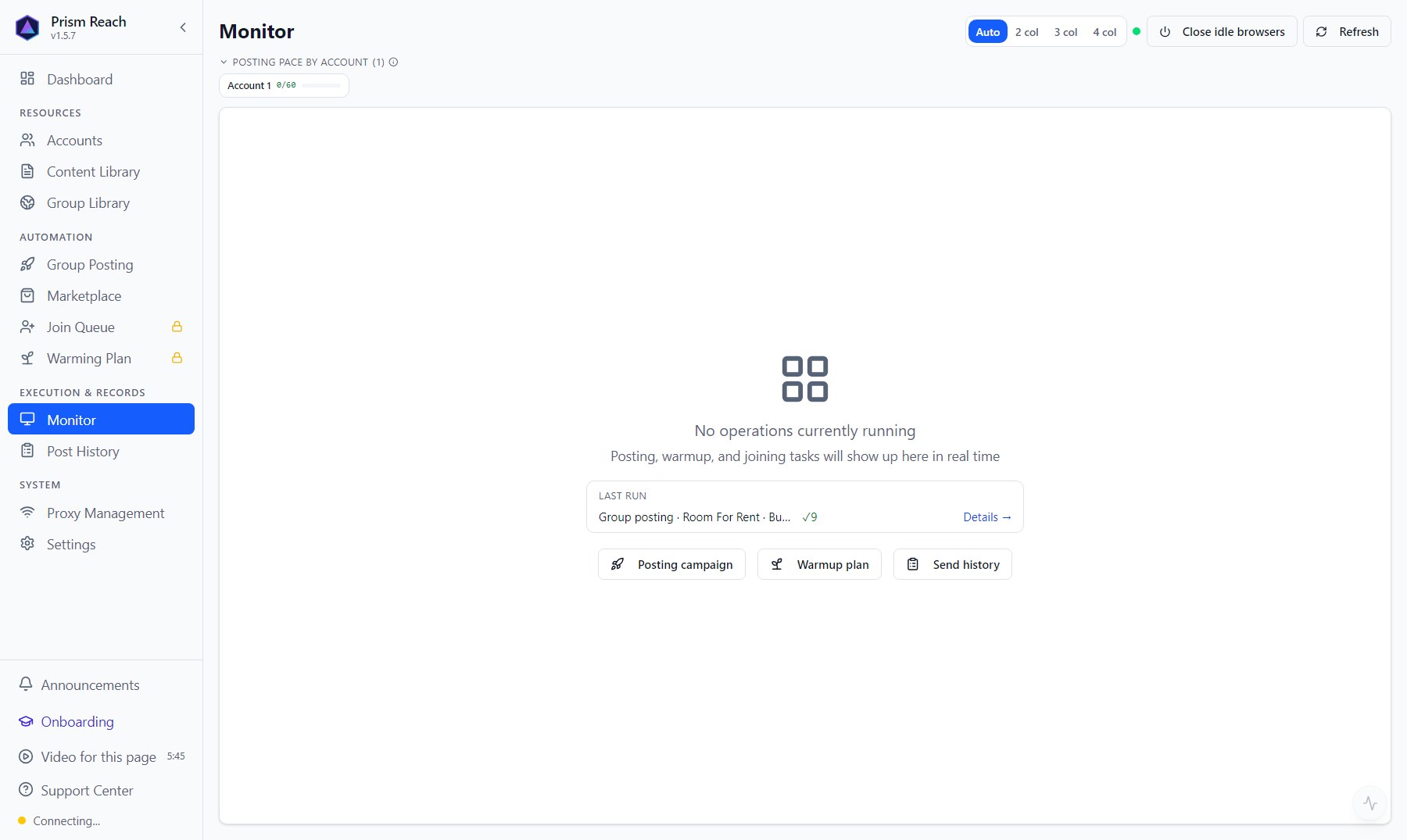
The live view of "what's happening now". Keep it open while posting, especially the first time.
- One card per account: which group it's posting to, how far along, how many succeeded / failed; you can view a live screenshot of the account's browser (click to enlarge — view only).
- Status badges:
- "Facebook rate limit": Facebook itself has limited this account; shows a countdown.
- "Cooling down": how long until the next post.
- "Hourly / daily quota": used vs. limit, and when it resets.
- "Waiting for lock": the account is busy with something else (warm-up, group sync) — waiting for it to finish.
- 「Posting pace by account」 and 「Batch control」 at the top: pause / resume / cancel batches, retry failed tasks.
- Layout: Auto / 2 / 3 / 4 columns; 「Close idle browsers」 closes browsers that aren't in use.
- Running warm-up sessions, join tasks and Marketplace campaigns also show here.
- When a batch finishes, a summary pops up: posted, failed, skipped.
8.3 Post History
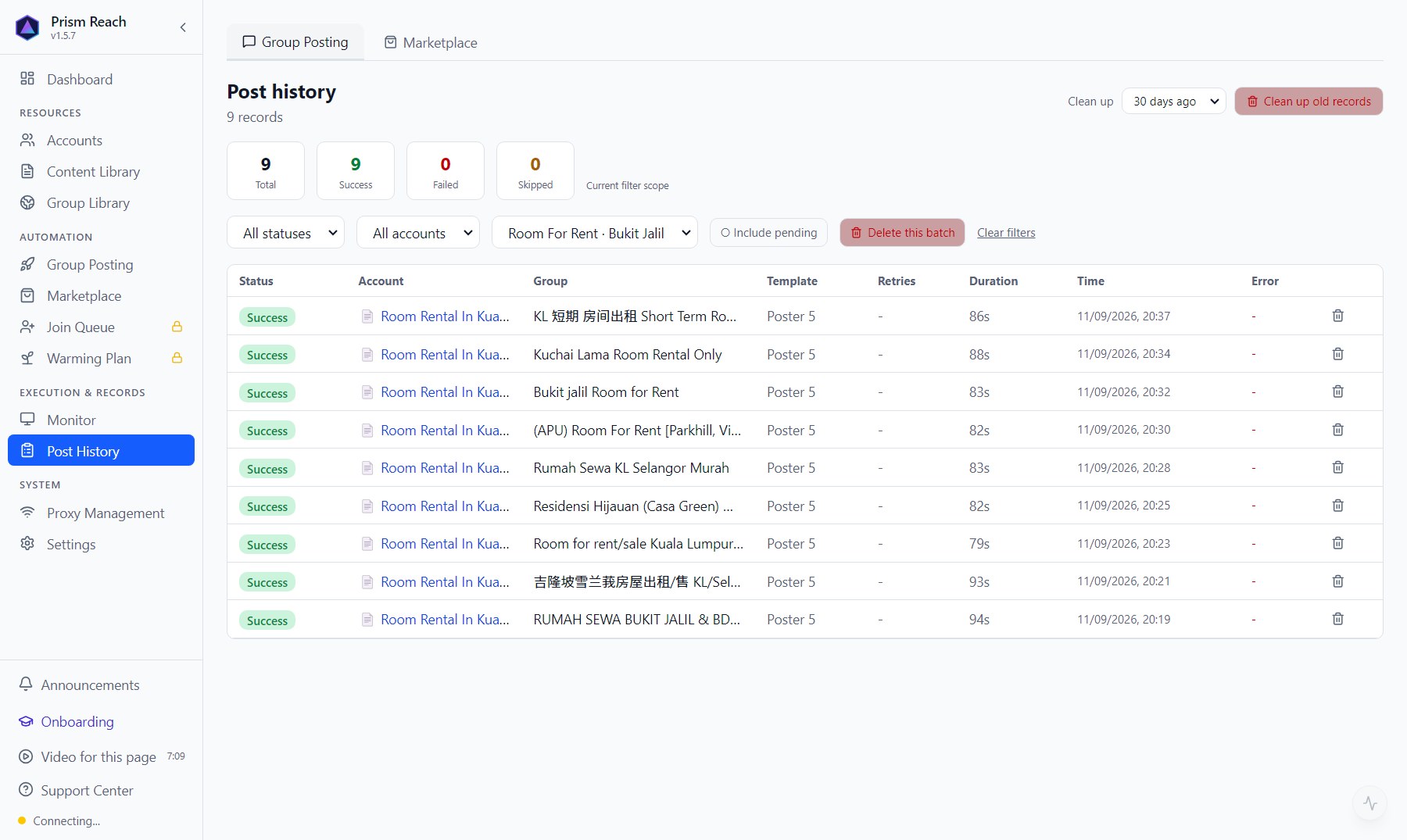
Two tabs: Group posting and Marketplace.
Group posting:
- Top stats: total / success / failed / skipped (for the current filter).
- Filter by status, account, batch; 「Include pending」.
- Each row: status, which account (or Page), which group, which post, retries, duration, time, error reason. Expand a row to see the screenshot taken when it posted.
- 「Delete this batch」, and 「Clean up old records」 by age.
Marketplace: pending / publishing / live / deleting / deleted / failed, with details for each listing.
8.4 How to troubleshoot
- Go to Post History and check whether it succeeded, failed or was skipped.
- Skipped: check the reason (permission not checked, not joined, buy & sell group…) — see the skip-reason table in 06 · Configuring Posting Campaigns.
- Failed: expand it to see the error and screenshot; common ones are in 10 · FAQ & Risk Notes.
- Stuck: check Monitor — is it waiting for the account lock (the account is busy with something else), rate-limited by Facebook, or cooling down?
Don't have Prism Reach yet?
The free plan needs no credit card — install it and follow this guide.